Brief the day. Book the hours. Sign off the diary.
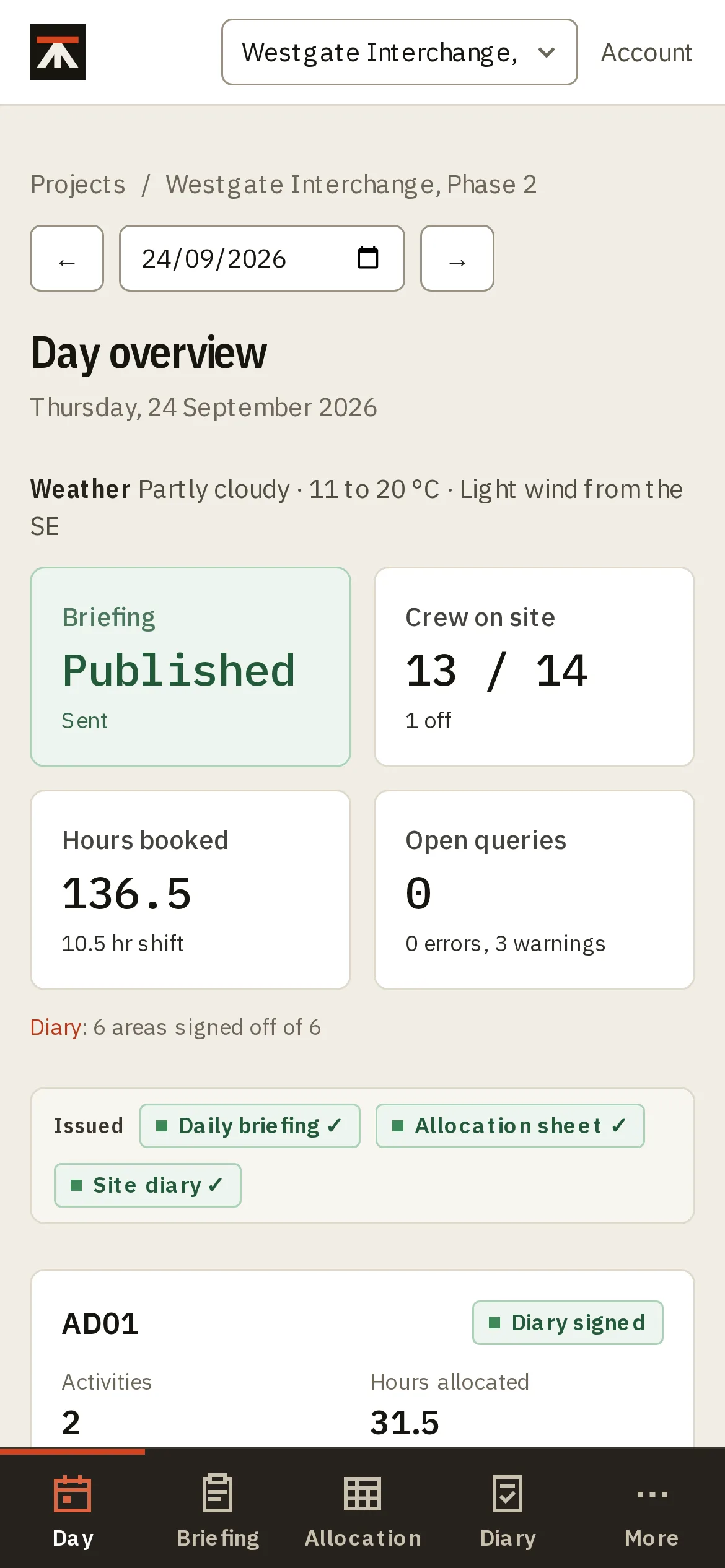
Dayworks keeps a site's daily activity briefing, labour allocation and site diary in one record, from the planning meeting to a phone on site. By the end of the shift, the sheets commercial and the client ask for are already done.

From the briefing to the signed diary
One record for the day, filled in by the people who are there for it.
Day before
Plan tomorrow at the briefing meeting
Set out each area's activities, who leads them, the deliveries due, permits and plant. Publish it when the meeting agrees it.
07:30
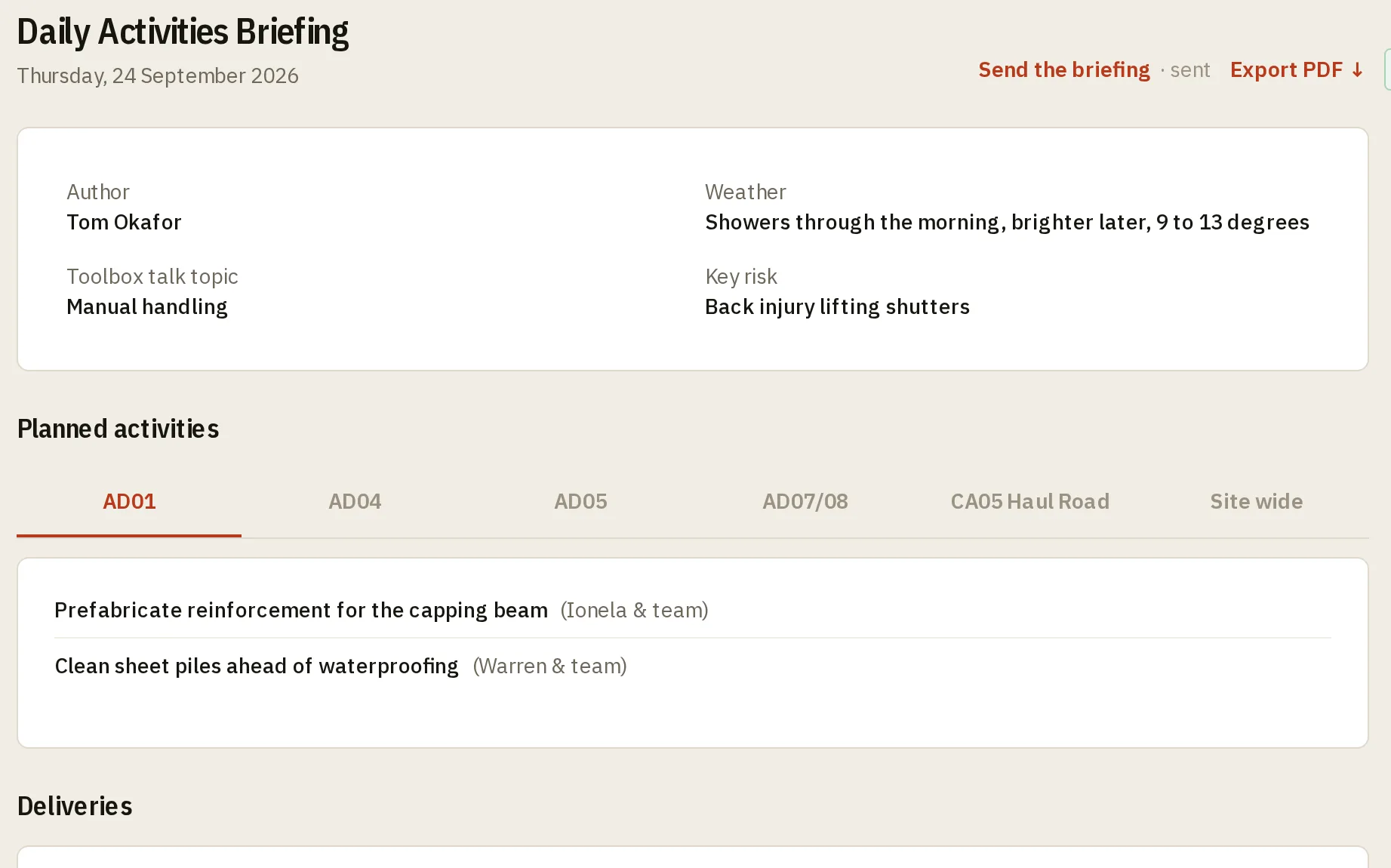
Brief the gangs from the sheet
The published briefing goes to managers and supervisors as a sheet they can print: each area's activities, plant and permits, the toolbox talk and the key risk. It's what the gangs are briefed from at the start of the shift.
During the shift
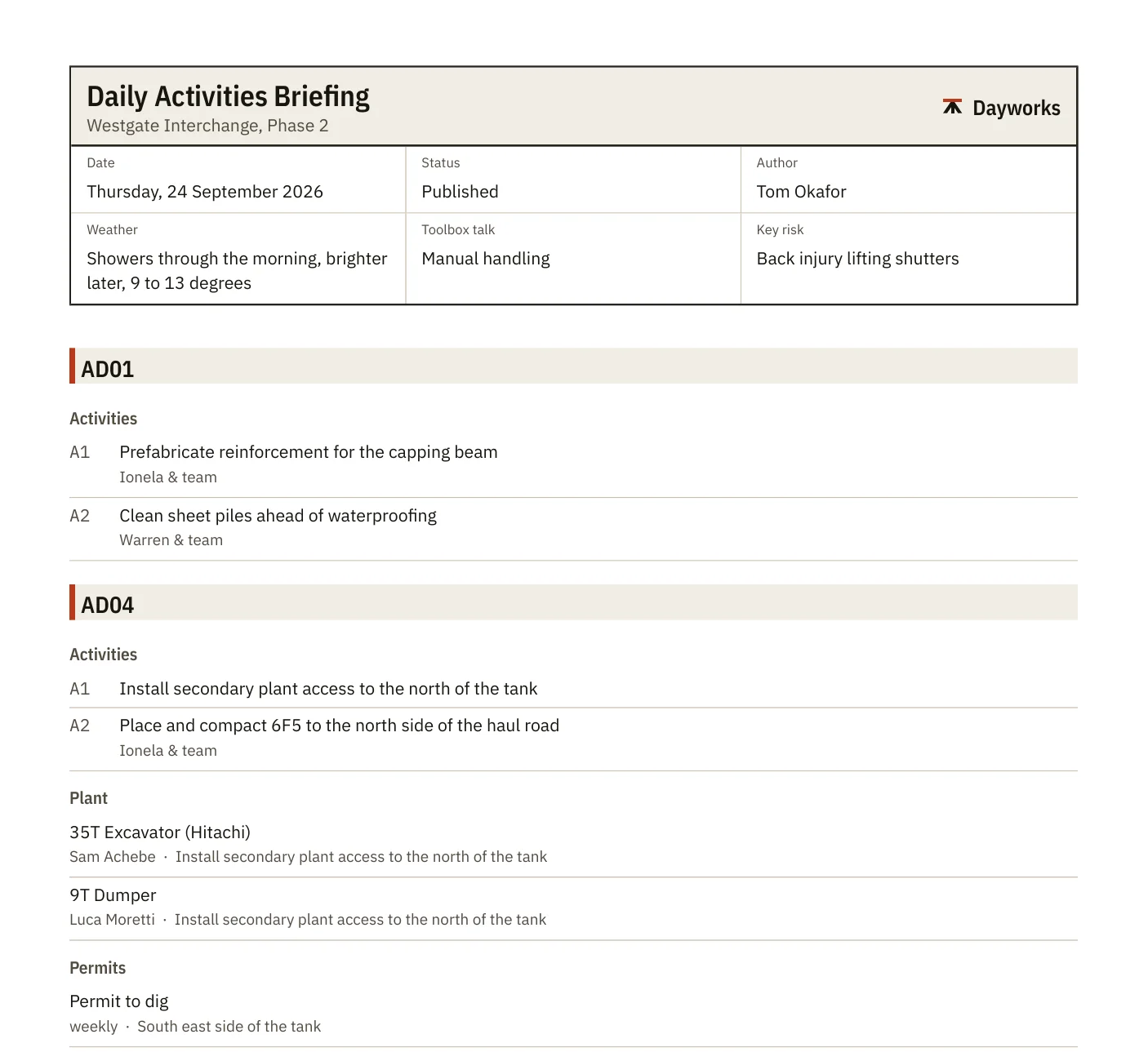
Book the hours against the work
The construction manager or a supervisor books each person's hours against the activity they're on, from a phone, one worker at a time.
Hours that never get allocated can't be charged, so anyone without hours, or marked absent, is flagged before the end of the day.
End of shift
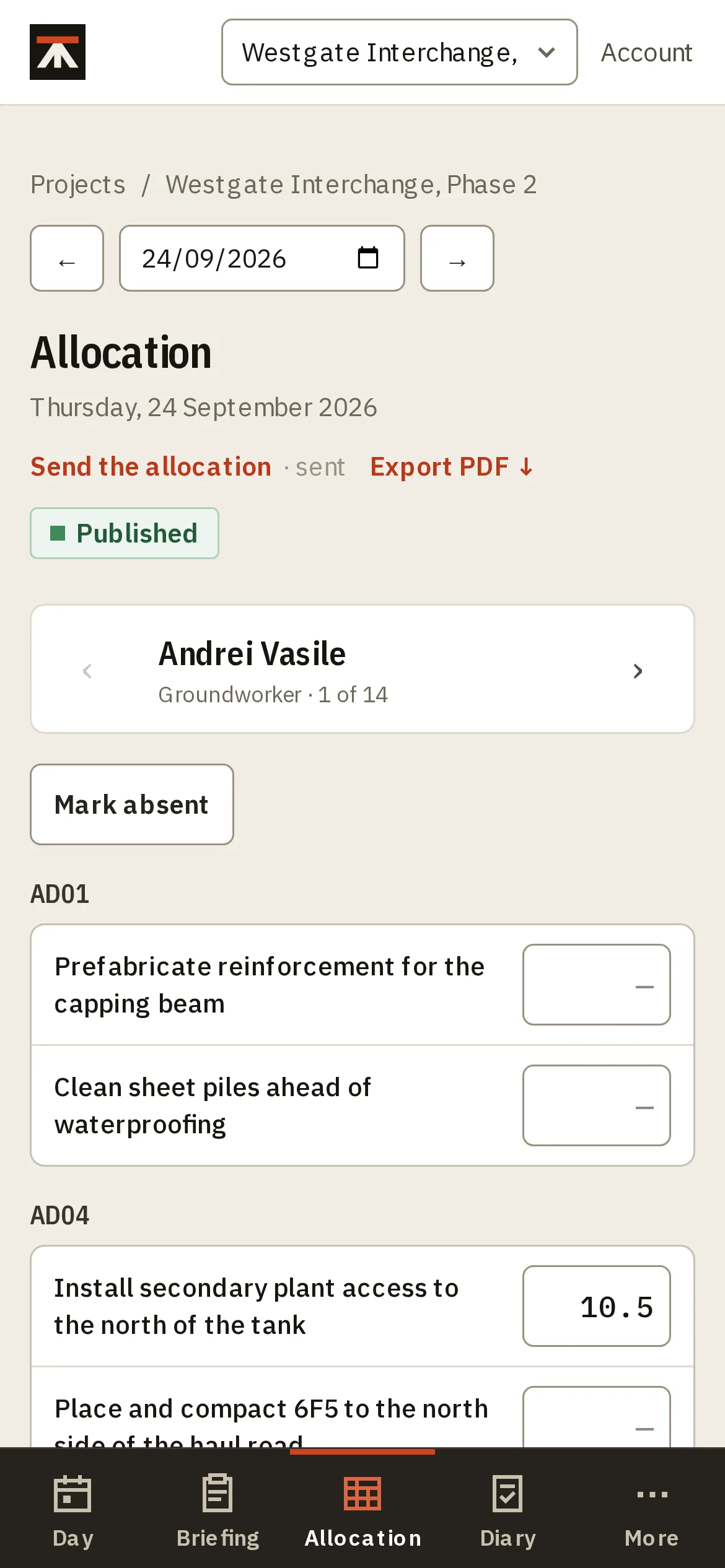
Sign off the diary and send the sheets
Each area's diary starts from the day's activities, hours and weather, so the narrative matches the allocation. Once a manager signs it off it's locked, and the diary and allocation go to everyone who needs them.
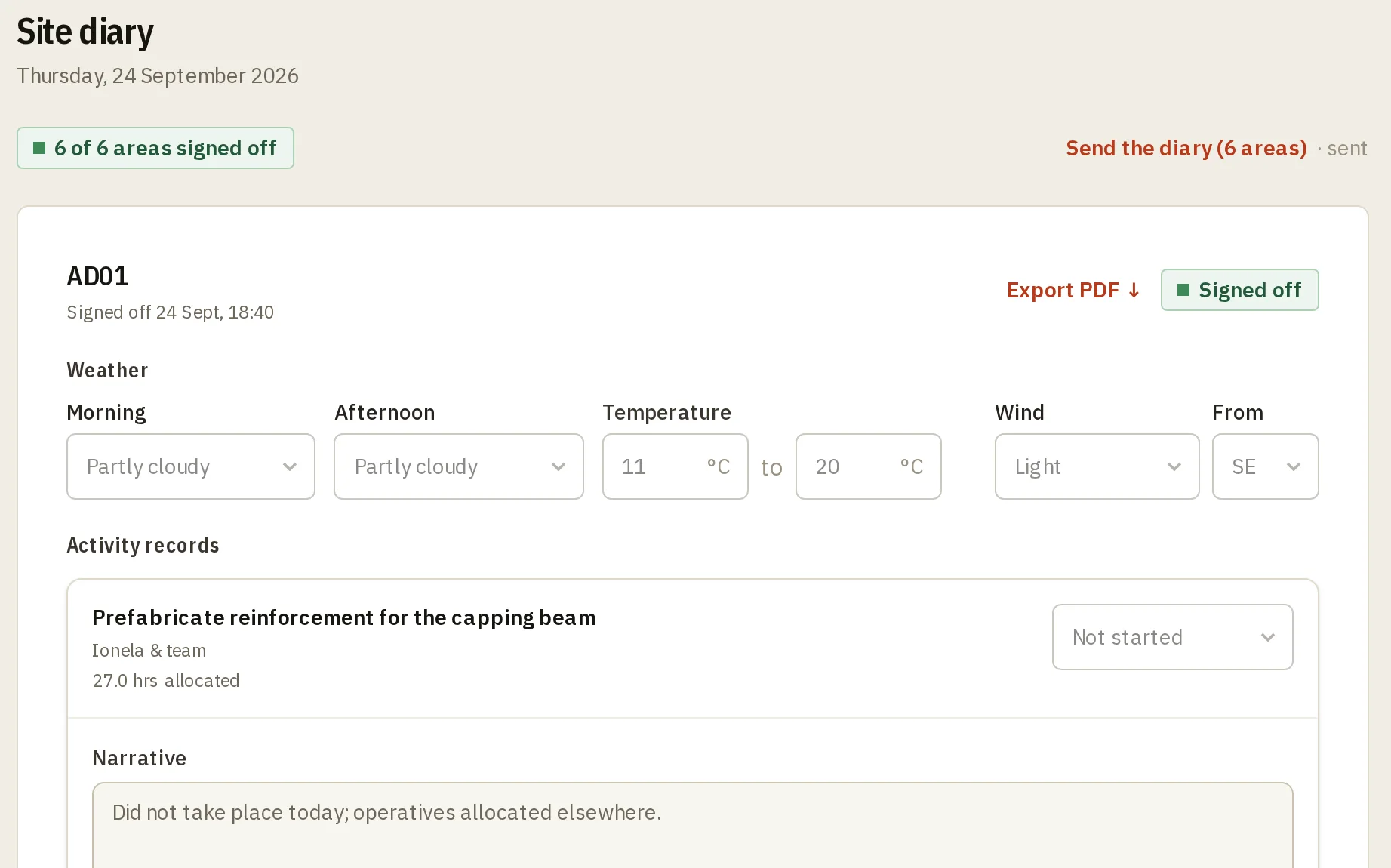
Set out like the workbook you already keep
Most sites run the day from a spreadsheet, with a tab for the DABS, one for the allocation, one for the diary and one for the week. Dayworks keeps that layout, so there's nothing new to learn.
The difference is that each tab fills the next. The allocation starts from the briefing, and the diary starts from both.
The paperwork comes out of the record
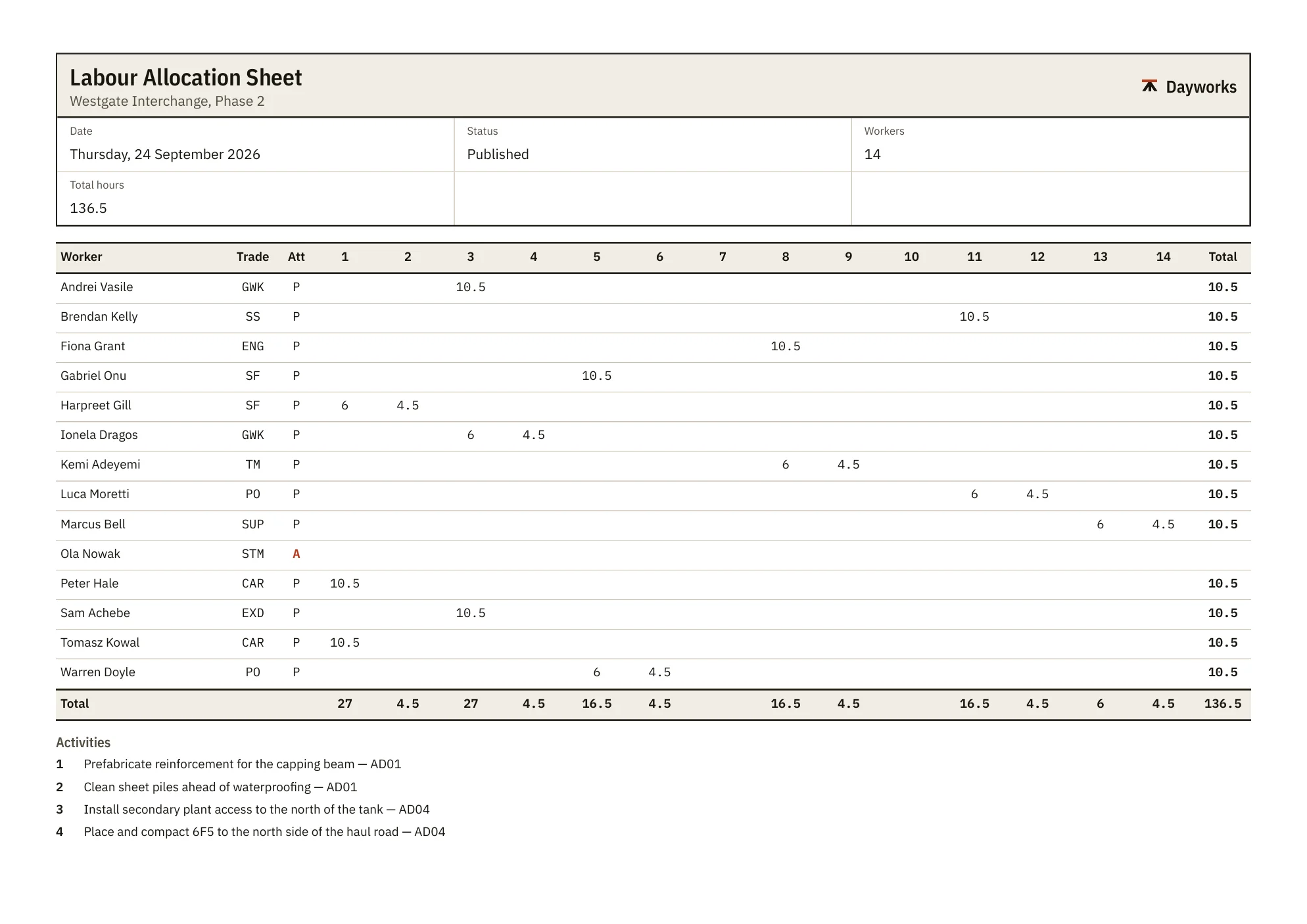
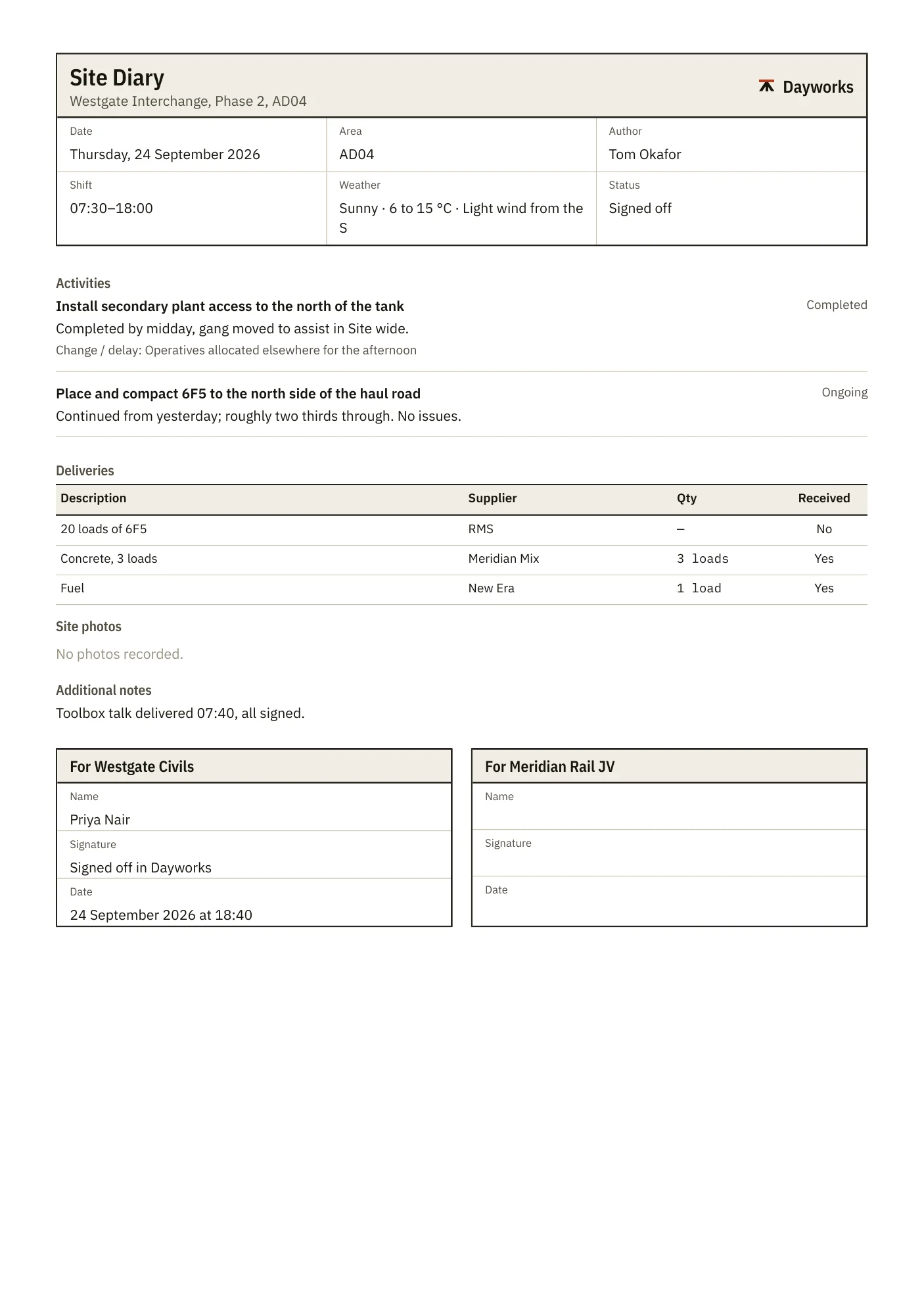
Nobody types the day up twice. Every sheet is made from what was booked and signed, sent by email from Dayworks, and kept with who it went to and when.
- Daily activities briefing
- The plan for each area, deliveries, permits and plant.
- Labour allocation sheet
- Everyone on site, their trade, and their hours by activity.
- Site diary
- One sheet per area, with photos, and a box for the client to sign.
- Weekly return
- The week's hours by person and by day, for commercial and the client.
A record that holds up
A diary is worth what it says a year later, when someone asks what happened on the day.
Dayworks is being built with the site team on a major UK infrastructure project, around the workbook they used to keep by hand.
- Signed off means signed off
- A signed-off diary can't be edited, and every sheet sent is kept with who it went to and when.
- Kept in London
- The records are stored in the UK, and handled under UK GDPR. Each company sees only its own.
- Made for a phone on site
- Allocation and the diary work one-handed on a phone, with photos taken straight into the day.
- Roles that match the site
- Any engineer can write the diary; sign-off stays with the project engineer, construction manager or project manager. Nobody sees a button they can't use.
Request early access
We're letting site teams in a few at a time, so each one is set up properly: your areas, your workforce and your sheets.
Free during early access. Teams who join now keep a founding price when Dayworks is paid for.
Already use Dayworks through your company? Ask them to invite you, or sign in.